
BEST PICKS · Home Networking
Best Wi-Fi 6 Routers for Filipino Homes: 3 Practical Picks
A research-based comparison of three Wi-Fi 6 routers for Philippine households, covering wireless class, wired ports, mesh options, security features, and the buyers each model suits.
A faster internet plan does not automatically fix weak Wi-Fi, congestion, or poor router placement. These three research-based picks cover a budget AX1800 upgrade, a balanced AX1800 option with straightforward management, and a more advanced AX3000 model. PiliWise compared official specifications and feature documentation; this guide is not a substitute for hands-on testing in your own home.
PiliWise does not currently earn commissions from purchases made through product links in this guide. Links are provided for verification and current information.
Budget Wi-Fi 6 upgrades for smaller homes
Mercusys MR70X AX1800 Wi-Fi 6 Router
An entry-level dual-band Wi-Fi 6 router with AX1800-class speeds, Gigabit wired connectivity, four external antennas, OFDMA, MU-MIMO, Beamforming, and WPA3 support.
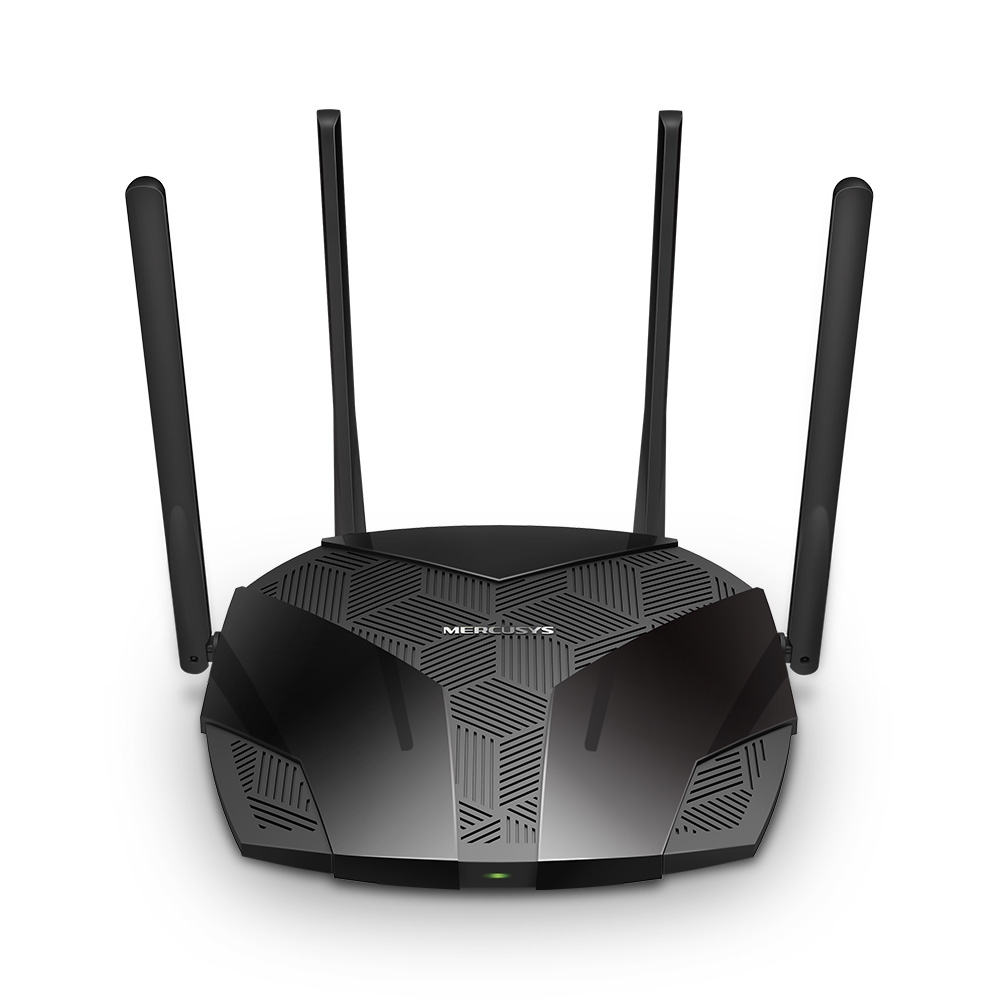
Specifications were checked against the official Mercusys Philippines MR70X V1 product page. Real-world range and speed were not independently tested by PiliWise and will vary by home layout, interference, client device, and internet plan.
Image source has been checked.
Key features
- AX1800 dual-band Wi-Fi 6: up to 1201 Mbps on 5 GHz and 574 Mbps on 2.4 GHz
- OFDMA and MU-MIMO for more efficient multi-device connections
- Four high-gain external antennas with Beamforming
- Gigabit wired connections
- WPA3, guest networks, QoS, Smart Connect, and access point mode
Pros
- Useful Wi-Fi 6 feature set for buyers moving from an older Wi-Fi 5 router
- Gigabit ports avoid the 100 Mbps wired bottleneck found on some entry-level routers
- Includes WPA3, guest networking, device prioritization, and access point mode
Considerations
- AX1800 is a theoretical combined wireless rating, not a guaranteed internet speed
- Dual-band design does not include a 6 GHz band
- A single router may not solve dead zones in larger or multi-floor concrete homes
Where to check
Prices and availability may change.
Balanced features and straightforward home network management
TP-Link Archer AX23 AX1800 Wi-Fi 6 Router
A dual-band AX1800 Wi-Fi 6 router with four Gigabit LAN ports, a Gigabit WAN port, four external antennas, Beamforming, WPA3, device-based QoS, parental controls, and mesh expansion support.

Specifications were checked against the official TP-Link Philippines Archer AX23 page. PiliWise has not independently benchmarked wireless throughput, latency, range, or mesh roaming performance.
Image source has been checked.
Key features
- AX1800 dual-band Wi-Fi 6: up to 1201 Mbps on 5 GHz and 574 Mbps on 2.4 GHz
- One Gigabit WAN port and four Gigabit LAN ports
- Four external antennas with Beamforming
- OFDMA, WPA3, device-based QoS, and parental controls
- TP-Link Tether app plus OneMesh and EasyMesh support
Pros
- Four Gigabit LAN ports suit homes with several wired devices
- Tether app and web interface provide accessible setup and management
- Mesh compatibility creates an upgrade path when one router is not enough
Considerations
- AX1800 is a theoretical wireless class rather than a guaranteed real-world speed
- No 2.5 Gigabit Ethernet port for multi-gig internet plans
- Actual coverage through concrete walls depends strongly on placement and interference
Where to check
Prices and availability may change.
Advanced controls, VPN features, and AiMesh expansion
ASUS RT-AX57 AX3000 Wi-Fi 6 Router
An AX3000 dual-band Wi-Fi 6 router with 160 MHz channel support, a 1.7 GHz quad-core processor, four Gigabit LAN ports, AiMesh, AiProtection, extensive VPN options, parental controls, and traffic management.
Specifications were checked against official ASUS Philippines documentation. PiliWise has not independently tested signal range, thermal behavior, firmware reliability, VPN throughput, or real-world wireless performance.
Image source has been checked.
Key features
- AX3000 dual-band Wi-Fi 6: up to 2402 Mbps on 5 GHz and 574 Mbps on 2.4 GHz
- 160 MHz channel support with OFDMA, Beamforming, and 1024-QAM
- 1.7 GHz quad-core processor, 256 MB RAM, and 128 MB flash storage
- One Gigabit WAN port and four Gigabit LAN ports
- AiMesh, AiProtection, VPN client and server features, QoS, and traffic monitoring
Pros
- AX3000 and 160 MHz support provide more headroom for compatible devices
- Broad administration, security, VPN, and traffic-management feature set
- Can operate as a router, access point, repeater, media bridge, or AiMesh node
Considerations
- Compatible client devices are required to benefit from 160 MHz Wi-Fi
- Gigabit WAN limits usefulness for internet plans above the practical Gigabit range
- The deeper feature set may be more than a basic household needs
Where to check
Prices and availability may change.
EDITORIAL STANDARDS
How PiliWise prepared this content
Methodology
PiliWise reviews manufacturer documentation, merchant listings, pricing context, product positioning, and practical use cases. Research-based articles are clearly distinguished from hands-on testing.
Update policy
Articles are reviewed when specifications, merchant listings, pricing context, availability, or relevant guidance materially changes.
Corrections
Factual corrections are reviewed when supported by reliable sources. Readers may report errors through the PiliWise Contact page.
Report a correction